 To copy items with the arrows. What ever you Rezz. If you select the Prim you will see Blue or Red or Green arrows. If you select (click on) one of the arrows and hold the shift key slide your mouse in the direction of the arrow --wabam! a duplicate Prim lined up with your original Prim.
 Got a little Copy Crazy!
Rotation Rotation is just about like the arrows on a selected object. You can grab the red, blue, green rings and postition any way you want. Also grabbing in the "White zone" of the wheel gives you free reign on the rotations.
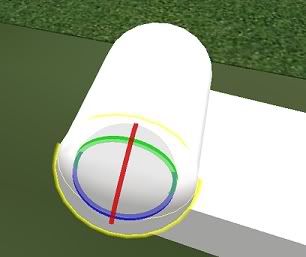 Use wheel to rotate your objects.
View Controls The view controls are located on the Top Menu Bar under View Tab (of course) these can be very handy while editing and making sure your objects are lined up properly. Try them they take practice to use.
 I keep this up all the time.
 To Link Prims.
Select thePrims to be link by using the Selection Tool in the Edit Menu box. Then drag your curser over all that you want to link. This places a faint yellow box around all the Prims and also highlights them.
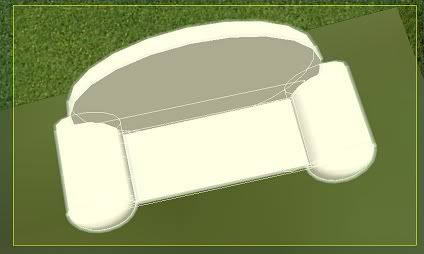 See faint yellow lines? Note you cant link prims that are really far apart. So keep it close. The root prim is one color (yellow) and the child prims (blue).
No comments:
Post a Comment