Now who doesn’t want to pay for an aquarium in their house?
Who can’t afford to pay for one? *points to self* :D
So I made one.
This is called Slim Aquarium, because its slim….:D But! You can make it any shape, size, fishy, planty, and rocky as you want. I’m just giving you a few tools to go swim with the fishes. :D
This bad boy has 3 types of fish in it, that pop up randomly, a light at the top that you can turn off and on. We can either have a water sound effect or not…after a while that gets on my nerves so I remove it. (Maybe some bubble effects later).

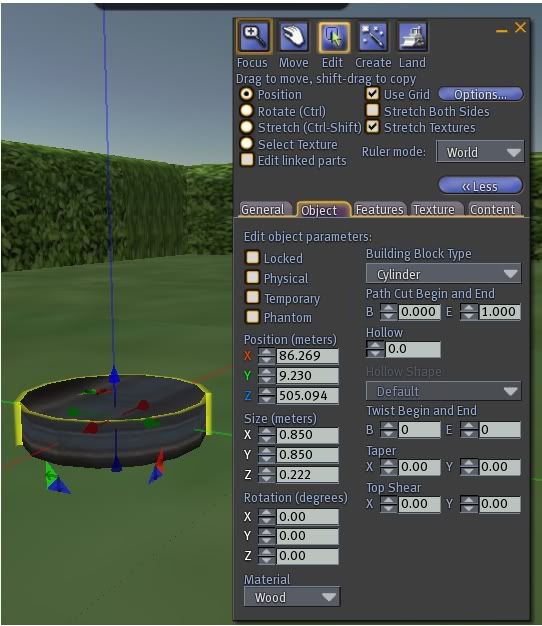
First off we want to drop a cylinder with on the ground and do Shift X to orient it in one spot.
On the cylinder we want to do this. Go to the Object Tab and change this: Size (meters):
X 0.850
Y 0.880
Z 0.222
It ends up being a smallish disk. This is the base of the aquarium.
Now do the copy with the arrows trick and pull up on the blue arrow holding the Shift Key to make 3 more cylinders. You now have 4 of them all stacked in a nice row. The bottom disk is #1 and the next up is #2 and I bet you guess what the others are.
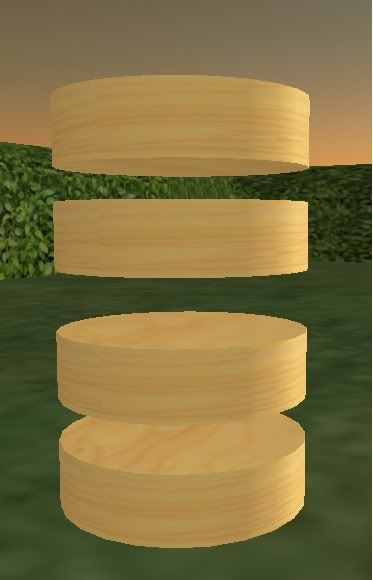
So on disk 2 lets change it a bit
Size (meters):
X 0.850
Y 0.850
Z 2.222
Hollow 95
(Later we will add a script to this)
Now we have a little longer disk. This is the glass portion of the aquarium.
(Hey, it looks like a hunk of wood!) Lets do some more on this.
Click the Texture Tab and change the Transparency to 80%
Search in your Inventory for “water” Second Life gives you some default textures and one of them is water. Tada! Slide that texture on the *glass* of the tank. Both inside the cylinder and outside as well as on the very top edge and bottom edge.
 On to disk *counts on fingers* 3!
Size (meters)
X 0.850
Y 0.850
Z 0.088
A slightly thinner version of disk 1. This is our light of the aquarium.
(Later we will ad a script to this). Disk 4 is just a copy of disk 1 so nothing needs to be done to it.
Easy enough hey? 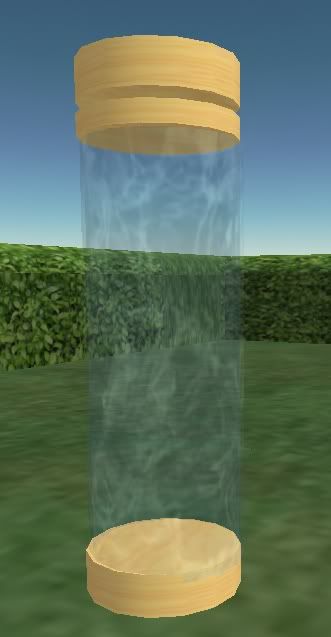
That all there is to making the Tank portion of the aquarium, next we will add some fish, the scripts to make it more alive and other effects to make it a little pretty.

No comments:
Post a Comment